qrvc is a command line tool that allows to prepare a QR code from vCard data.
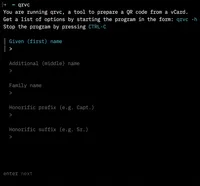
One way to create the QR code is by providing a vCard file as input and process that. If you do not have a vCard file, qrvc will ask you for data input and will then create a vCard file and a QR code for you.
Your data remains on your computer and nowhere else.
Installation
Install with Homebrew on Mac and Linux
brew tap ulfschneider/tap
brew install --cask qrvc
Install with Go on any machine that has Go on board
go install github.com/ulfschneider/qrvc@latestManual install
You can also download the appropriate binary directly from GitHub Releases:
Visit github.com/ulfschneider/qrvc/releases
- Download the archive matching your OS and architecture
- Extract it
- Move the binary to a directory included in your PATH (for example /usr/local/bin)
Verify the installation
qrvc --versionThis command should print out the qrvc version you are using.
Usage
After installation, start the tool by typing:
qrvcWhen using the -h flag, you get information about how to use it:
qrvc -h